storyWalking
UX/UI App Design
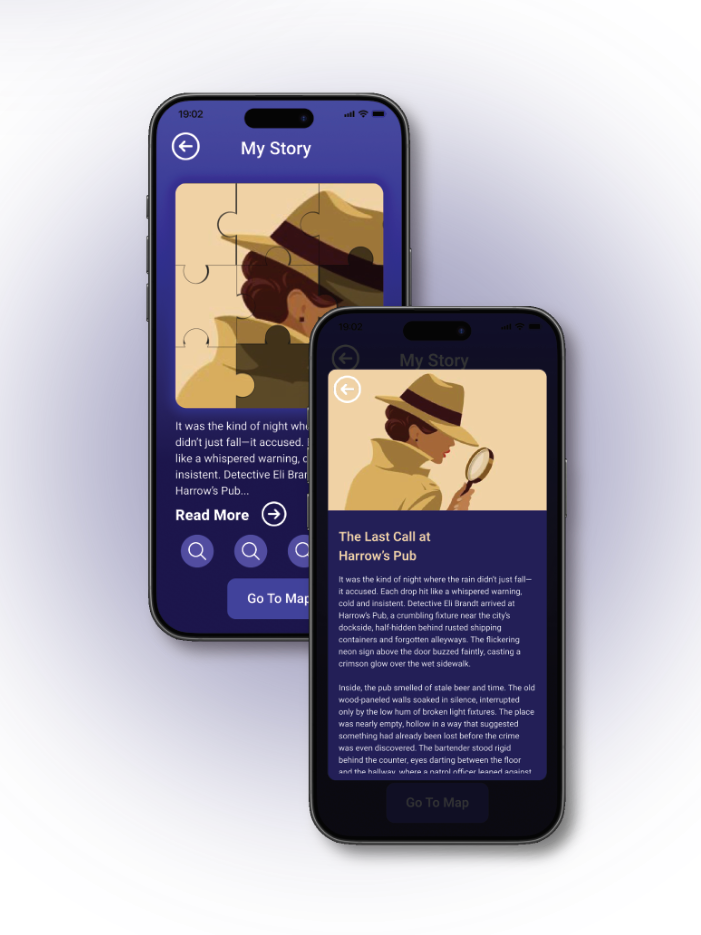
My Story Screen has a puzzle picture, parts of it are greyed out until you find all the clues. By clicking to read the whole story, the overlay screen pops up, so you can refresh your memory and remind yourself the story anytime.
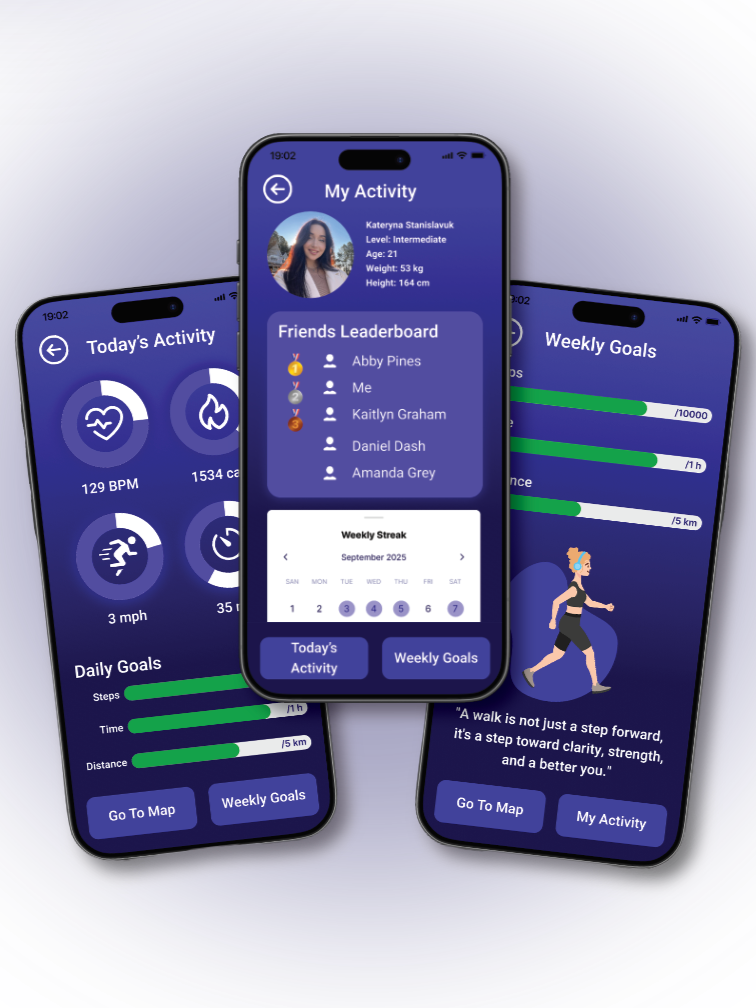
My Activity screen shows your profile main information, such as the level of activity, age, weight and height. From this screen you can access the Friends Leaderboard tab to see who is on fire from your private family/friends circle.
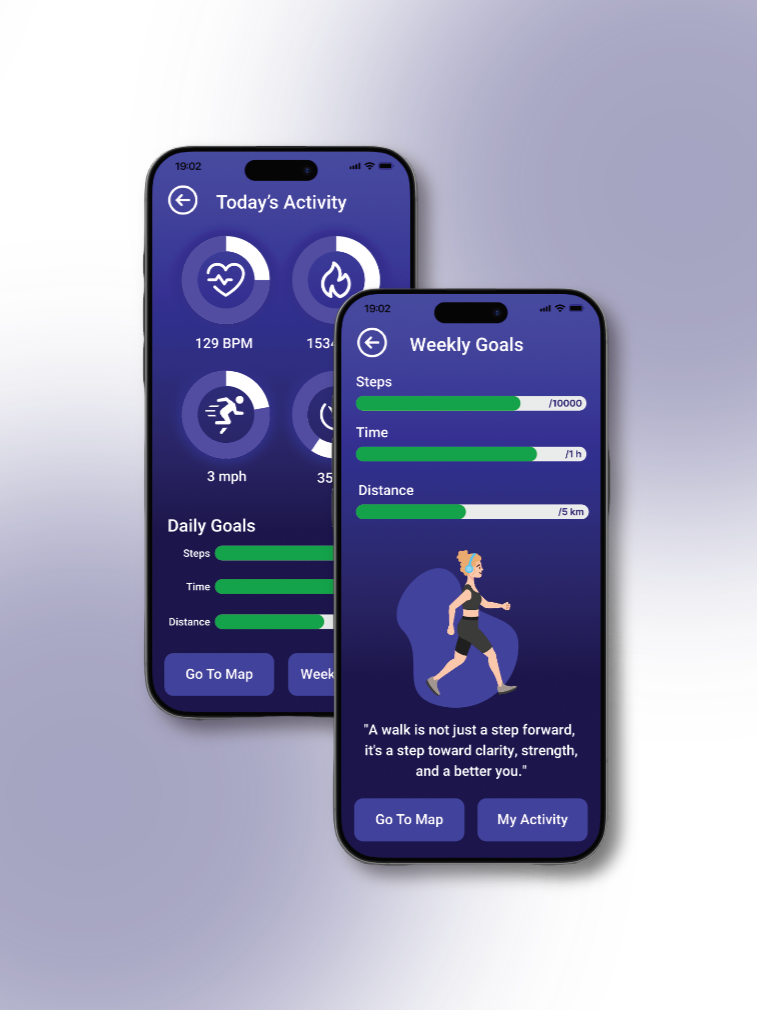
Today’s Activity screen guides you through the activity and Daily Goals you’ve reached today, such as burnt calories, max speed, steps and distance
Weekly Goals screen shows the goals have to be achieved each week, depening on your level of activity and desired results. It also has a daily updated motivational quotes to help keeping
you on track!
Walking App with Interactive Storytelling for Enhanced User Engagement. In addition to standard fitness tracking features such as step count, distance, and duration, this walking app introduces a unique and engaging twist: integrated stories. This innovative feature sets the app apart from competitors by transforming routine walks into immersive storytelling experiences.
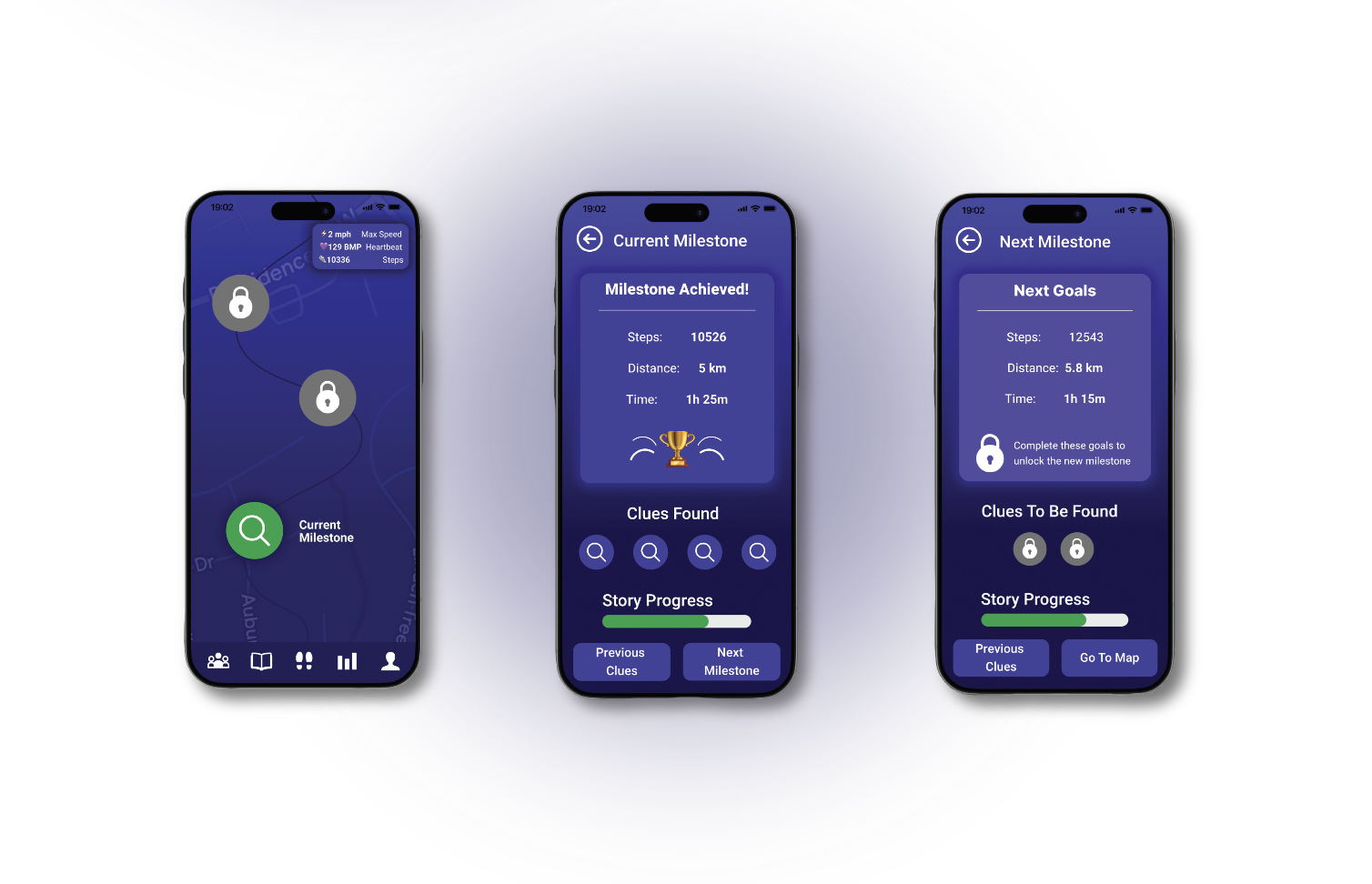
The Map Home Screen shows your current location and walks you through the milestones to complete the story. Each Milestone shows you the amount of steps, distance and time that have to be achieved, as well as all found clues and the Story progress bar. Locked Milestones show you all the goals have to be achieved to unlock the next step and new clues!